
-
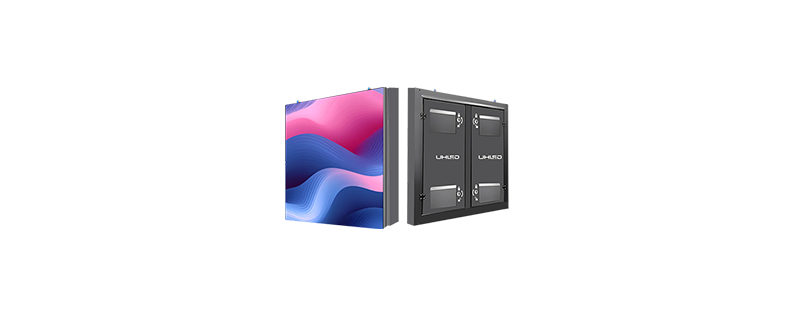
OUTDOOR LED DISPLAY
OUTDOOR LED DISPLAY
-
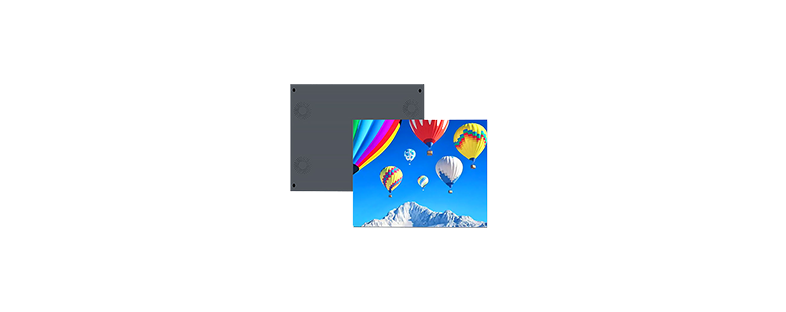
INDOOR LED DISPLAY
INDOOR LED DISPLAY
-
RENTAL LED DISPLAY
RENTAL LED DISPLAY
-
SHELF LED DISPLAY
SHELF LED DISPLAY
-
POSTER LED DISPLAY
POSTER LED DISPLAY
-
CUBE LED DISPLAY
CUBE LED DISPLAY
-
FLEXIBLE LED FILM
FLEXIBLE LED FILM
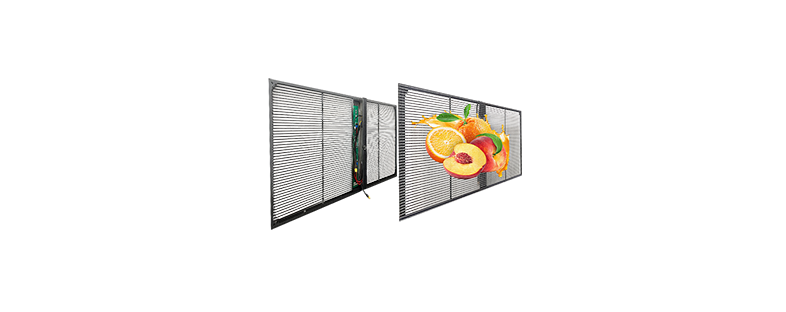
- TRANSPARENT LED DISPLAY
















How to Manage LED Poster Displays Across Multiple Stores: Wi-Fi Control, Content Scheduling, and Campaign Consistency
One LED poster display can run from a local device. A chain of stores needs something more disciplined. Screens must be named, grouped, updated, monitored, and tied to the right campaign dates. One wrong playlist can leave yesterday’s price or the wrong language on a shop floor. Multi-store LED display management therefore joins hardware, networks, content, and staff responsibilities in one operating plan.
How a Multi-Store LED Poster Network Works
A reliable network has four working layers. Treating the screen as the entire system usually leaves gaps in publishing, monitoring, or recovery.
LED Poster Screens
Each LED poster screen renders locally stored content. Give every unit a unique name linked to its store, floor, and position so support staff can identify it without asking for photographs.
Media Players and Control Systems
A screen may use an integrated control card or an external media player. Content can come from a cloud CMS or local server. Confirm supported formats, resolution, storage, scheduling, and remote-status functions before purchase.
Network Connectivity
Wi-Fi, Ethernet, and mobile data all work when matched to the site. USB remains useful for recovery or a controlled offline update, but it becomes slow and hard to audit across many stores.
Central Content Management
The platform should add and name screens, create groups, upload files, build playlists, schedule campaigns, and report status. Compare those needs with available LED poster display solutions before standardizing hardware.
Wi-Fi, Ethernet, or Mobile Data?
The connection choice affects installation time and daily reliability. Store layout, existing cabling, network policy, and temporary deployment plans should drive the decision.
Wi-Fi for Flexible Store Deployment
A Wi-Fi control poster LED display avoids new data cabling and suits a small number of screens. Check signal strength at the actual position, separate device traffic from guest Wi-Fi, document passwords, and plan credential updates.
Ethernet for Stable Fixed Installations
Ethernet suits permanent sites, larger screen counts, and stores with existing structured cabling. It reduces dependence on local wireless congestion, though installation may cost more in finished interiors.
Mobile Data for Temporary Locations
4G or 5G can support pop-ups, exhibitions, and stores that cannot join a corporate network. Check coverage, data allowances, router management, and who owns the account when the campaign ends.
Offline Playback and Failover
Download approved media to local storage before playback. A network interruption should leave the last valid playlist running, followed by automatic synchronization when the connection returns.
Create Content for Vertical Poster Screens
Remote publishing cannot rescue poorly formatted creative. Build each asset for the screen’s real resolution, orientation, viewing distance, and customer dwell time.
Resolution, Readability, and Motion
Do not crop a horizontal advertisement and hope the main message survives. Keep logos and prices inside a safe area, use strong contrast, limit text, and place the offer early. Fast animation and complex transitions can make a short viewing window harder to use.
Localized Content
Create controlled versions by country, city, language, store, inventory, date, and local price. The filename and CMS metadata should make each difference obvious to an approver.
Screen Grouping and Content Scheduling
Grouping turns hundreds of individual screens into manageable audiences. The structure should follow how marketing and operations already divide the business.
Region and Store-Type Groups
Build regional groups, then add store-type groups for flagships, standard branches, mall shops, airports, or pop-ups. A screen can belong to more than one group if the CMS handles conflicts clearly.
Daypart Scheduling
Schedule breakfast, lunch, after-work, weekend, and holiday content against each location’s time zone. Define start and expiry times at campaign level so old offers leave the playlist automatically.
Controlled Local Overrides
Head office can lock brand assets while regional or store users add approved opening hours, inventory promotions, or local events. This supports consistent digital display solutions for retail stores without forcing identical content everywhere. Set a percentage or time limit for local material.
Content Approval and Version Control
A simple workflow prevents most publishing errors. Creative prepares the asset; marketing checks price and dates; compliance reviews claims; operations assigns screens; an authorized manager publishes; the system records the active version and removes it at expiry. Keep the approval record beside the file. A corrected price is useless if an older playlist can still be republished.
Security and Access Control
Digital signage becomes part of the corporate network. Permissions and records should be designed before screens go live, not after an unauthorized change.
Role-Based Permissions
Separate administrator, creator, approver, regional manager, store operator, and read-only roles. Staff should receive the narrowest access needed for their job, with no shared administrator account.
Network Security and Audit Logs
Use strong passwords, restricted external access, device-network separation, and planned firmware reviews. Logs should show who uploaded, approved, published, or changed content, the target screens, and the time of each action.
Choose Hardware for Multi-Store Deployment
Indoor, outdoor, fixed, and foldable poster screens solve different operating problems. Standardize only after checking the intended environment and transport cycle.
Indoor, Outdoor, and Foldable Posters
UHLED describes indoor poster screens with remote control and cluster management. Its outdoor line is waterproof and lists brightness up to 5500 nit, while its foldable version uses a die-cast aluminum cabinet designed to reduce transport volume. Treat the 5500-nit figure as an outdoor product capability, not a default indoor setting.
Pixel Pitch and Maintenance Access
Closer viewing places more weight on image detail. Also confirm front or rear service, module and power replacement, control-card position, spare-part compatibility, and whether one person can move the LED poster stand safely.
UHLED was founded in 2015 as an R&D, production, and sales enterprise. Its company material records a 5,000-square-meter facility, annual production of 120,000 square meters, and eight project engineers able to support overseas work. The product scope includes indoor and outdoor HD displays, rental screens, shelf screens, LED posters, transparent displays, irregular screens, and application-specific systems. The same source states a five-year warranty with free replacement parts for supplier-responsible problems during that period, followed by chargeable spares. It listsCB,RoHS,FCC,ISO,CE,CCC, and ETL compliance marks and names Europe, America, Japan, and South Korea as major markets. Buyers should verify which documents and warranty terms apply to the exact poster model. These capabilities are relevant when evaluating multi-location LED display support for a rollout.
Multi-Store Deployment Checklist
Before launch, record screen and store IDs, installation positions, network and CMS accounts, groups, time zones, operating hours, default and offline playlists, staff training, spares, technical contacts, and escalation steps. Test one store, then a small regional group, before opening publishing rights across the network.
What Determines LED Poster Display Price?
LED poster display price depends on pixel pitch, dimensions, brightness, indoor or outdoor construction, waterproofing, controller, foldable structure, stand, packaging, freight, CMS, installation, spares, and support. A fixed quotation without a model, quantity, destination, and service scope is difficult to compare fairly.
Buying vs Renting LED Poster Displays
Ownership suits long-term stores that want common hardware and direct content control. LED poster rental fits one-off events or short campaigns, especially when the rental provider handles maintenance. A foldable LED poster display can bridge both cases for teams that move equipment often.
|
Decision Factor |
Buy |
Rent |
|
Long-term store use |
Easier to standardize |
Recurring cost may rise |
|
Single event |
Higher initial spend |
More flexible |
|
Content control |
Usually direct |
Confirm access rights |
|
Maintenance |
Buyer or supplier |
Often rental provider |
KPIs for a Poster Network
Track uptime, online rate, content compliance, failed downloads, publishing time, outdated campaigns, response time, and store-level playback accuracy. Where measurement is practical, add QR scans, coupon use, or promoted-product sales. The operational numbers come first; a screen that missed the campaign cannot influence it.
FAQ
Q1: Can Multiple LED Poster Displays Be Controlled Remotely?
A: Yes, when the screens, players, network, and CMS support remote publishing and grouping. Confirm how the platform names devices, stores media locally, reports status, handles time zones, and recovers after a connection failure. Use the location list, network conditions, and support scope to plan a multi-store LED poster rollout before buying the fleet.
Q2: How Does a Wi-Fi-Controlled LED Poster Display Work?
A: The screen or player joins an approved device network, downloads assigned media from the CMS, stores it locally, and follows its schedule. Good deployments separate guest traffic, document credentials, and retain an offline playlist so weak Wi-Fi does not create a black screen.
Q3: Is Wi-Fi or Ethernet Better for LED Poster Screens?
A: Wi-Fi is convenient in renovations and small deployments. Ethernet is often steadier for fixed sites and larger screen counts. Compare cabling cost, signal conditions, network policy, and service access for each store rather than forcing one connection method across every location.
Q4: Can Indoor and Outdoor LED Posters Use the Same CMS?
A: They can if both control systems support the platform and required media format. Hardware still differs in brightness, weather protection, cooling, installation safety, and maintenance. Test each model as a managed endpoint before combining indoor and outdoor groups.
Q5: How Should LED Poster Displays Be Grouped Across Stores?
A: Start with region and time zone, then add store type, campaign, language, and screen location. Set priority rules where groups overlap, document which group wins, and let local users change only the fields assigned to their role.


