
-
OUTDOOR LED DISPLAY
OUTDOOR LED DISPLAY
-
INDOOR LED DISPLAY
INDOOR LED DISPLAY
-
RENTAL LED DISPLAY
RENTAL LED DISPLAY
-
SHELF LED DISPLAY
SHELF LED DISPLAY
-
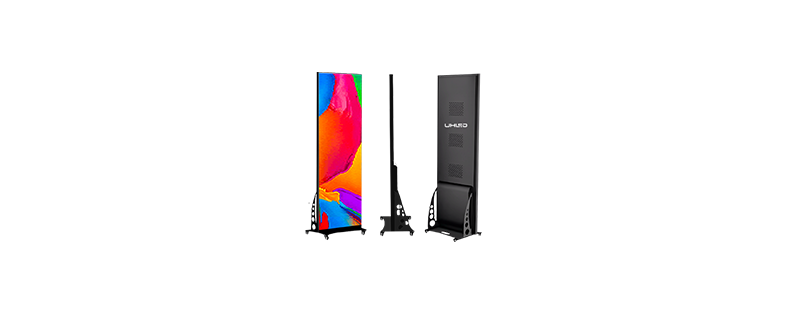
POSTER LED DISPLAY
POSTER LED DISPLAY
-
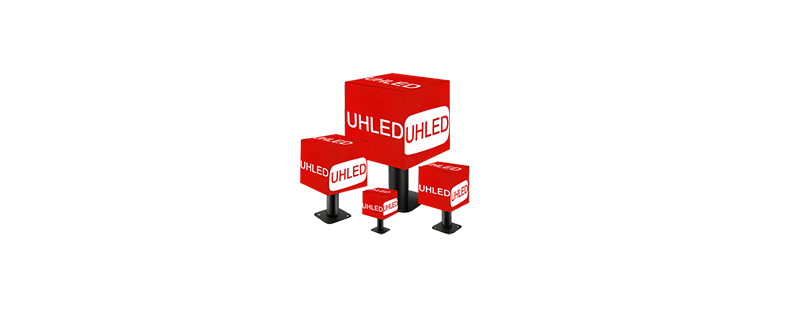
CUBE LED DISPLAY
CUBE LED DISPLAY
-
FLEXIBLE LED FILM
FLEXIBLE LED FILM
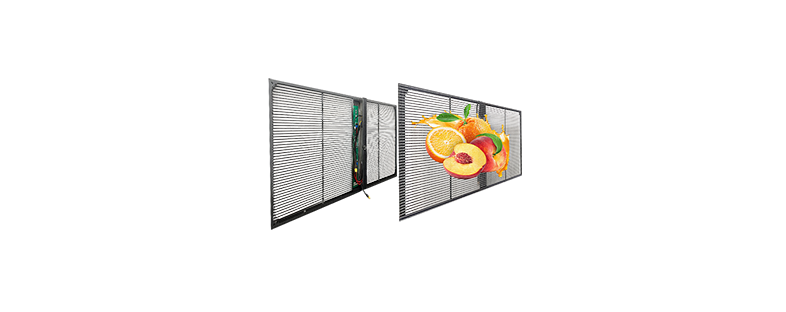
- TRANSPARENT LED DISPLAY






How to Make Your LED Advertising Screen Stand Out
Making an LED advertising screen stand out starts with three decisions: match the display to its location, give it one clear message, and test the content from the audience’s viewing position.
Brightness and motion are only parts of that process. A message can still be difficult to read when the pixel pitch, screen format, content, or viewing distance does not fit the site.
Treat the screen and advertisement as one system.
Find Out Why the Screen Is Being Overlooked
Identify who passes the screen, where they first see it, and what action the message should prompt. Storefront, venue, and roadside messages place different demands on the display.
Then isolate the problem. The audience may see too much information. Pixel pitch may not fit the viewing distance, or brightness may need adjustment as ambient light changes.
Write down four project inputs: installation environment, typical viewing distance, ambient-light changes, and content format. This short brief gives a supplier or content team something concrete to assess.
Match the LED Display to the Viewing Environment
The location determines which screen characteristics matter. Begin with indoor or outdoor use, then move to viewing distance, brightness control, and the content you plan to show.
Indoor or Outdoor Comes First
Outdoor installations need a cabinet and protection level suited to the site. UHLED’s general guidance says outdoor LED displays usually use IP65 or above, which refers to protection against dust and water ingress. Confirm the rating for the selected model and project conditions. Buyers can review the outdoor LED display category before discussing a configuration.
For indoor projects, define the room, mounting position, and nearest viewing point before reviewing an indoor LED display.
Set Pixel Pitch Around Viewing Distance
Pixel pitch is the distance between adjacent pixels. A smaller pitch provides higher resolution and suits close viewing, while a larger pitch suits longer viewing distances. That relationship gives you a selection direction.
Give the supplier the real viewing distance. A rough label such as “large screen” leaves out the condition that guides pitch selection.
Use Adjustable Brightness for Changing Light
UHLED displays allow brightness adjustment through the control system. A built-in light sensor probe is also available for automatic adjustment as ambient light changes. Confirm the chosen model and control setup for the project.
| Site condition | Project question | Screen consideration |
|---|---|---|
| Outdoor exposure | Which rating applies? | Confirm the model; UHLED guidance says IP65 or above is usual. |
| Close viewing | Where is the nearest viewer? | Review a smaller pitch. |
| Longer distance | How far away is the audience? | Review a larger pitch. |
| Changing light | Will conditions vary? | Confirm brightness control or a light sensor probe. |
Design One Message People Can Read and Act On
Once the display fits the site, the content needs a defined job. Decide whether the screen should present an offer, direct visitors, announce a product, or prompt another specific action.
Give Each Screen One Job
Put the main message at the center of the frame. Supporting copy should explain it. The call to action should name the next step at that location, such as entering the store or viewing a product.
If the viewer must interpret several offers, dates, images, and actions at once, split the material into separate screens or scheduled items.
Build Content for the Actual Screen Format
Prepare assets for the installed dimensions and pixel layout. A portrait installation needs a different composition from a wide display.
For example, a poster LED display gives portrait advertising its own product path. Confirm the screen format before the design team exports final assets.
Use Motion With a Purpose
Match motion to the screen and the intended use. UHLED’s product guidance states that a higher refresh rate produces a more stable, flicker-free image and suits filming or high-speed motion scenes. That makes refresh rate a project question when cameras will capture the display.
Do not assign a numeric threshold from general advice. Ask the supplier to confirm the configuration for the content and filming requirement.
Keep Advertising Current and Easy to Control
UHLED displays support Wi-Fi and HDMI control and are compatible with common controllers including NovaStar and Grayscale (HD). Confirm the connection and controller for the final configuration.
Retail teams often change prices, promotions, and product information. UHLED’s LED display for retail stores solution supports remote content management for those updates. The campaign schedule should determine when content changes; the approved materials provide no fixed update interval.
This is a useful checkpoint. If routine content changes require an unclear handoff between several people, define the operator and control method before launch.
Test the Screen Where the Audience Will See It
The installed display is the final test surface. Read the message from the intended viewing points. Check the content fit, call to action, and brightness.
Repeat the review as conditions change. Inspect an outdoor display during the operating periods relevant to the project.
Camera use adds another test. Record the display with the intended equipment and content, then review image stability. This connects the refresh-rate decision to the real filming task.
| Pre-launch check | What to observe | Next decision |
|---|---|---|
| Viewing position | Can the message and action be read? | Simplify the content. |
| Screen format | Do assets fit the pixel layout? | Re-export the content. |
| Ambient light | Does brightness suit changing light? | Adjust it or confirm a light sensor. |
| Camera | Does recorded motion remain stable? | Confirm refresh-rate needs. |
Use a Buyer Checklist Before You Approve the Screen
Your request should state the installation environment, viewing distance, proposed screen size, content type, and any filming requirement. Add the preferred control method. These details let the supplier connect the advertising goal to a screen configuration.
Installation also needs a defined plan. LED display installation normally requires professional technical support because the work includes the fixed structure, power cables, and signal cables. UHLED can provide internal wiring and installation-structure diagrams.
Plan maintenance access at the same stage. UHLED’s daily-care guidance covers regular dust removal with a soft cloth and alcohol, avoiding prolonged operation at full brightness, and checking whether the cooling fan works normally. The source gives no fixed maintenance interval, so the operating environment and project plan must set the schedule.
Conclusion
An LED advertising screen stands out when the site, display configuration, and message support the same viewing task. Define the environment and viewing distance, prepare content for the installed format, then test the result in place. That sequence also gives you a clearer basis for supplier discussions.
Shenzhen Uhled Technology CO., LTD was founded in Shenzhen in 2015. Its product scope includes indoor and outdoor LED displays, LED posters, rental screens, shelf screens, transparent displays, and irregular displays. Eight project engineers support project work, including overseas projects.
For a specification discussion, send UHLED the installation environment, viewing distance, planned screen size, content type, control preference, and filming needs. Those inputs allow the team to review product fit, control options, and the installation information required for the project.
FAQ
Q1: What pixel pitch suits an LED advertising screen?
A: Choose pixel pitch from the viewing distance. Pixel pitch means the distance between adjacent pixels: a smaller pitch suits close viewing, while a larger pitch suits longer distances. Provide the supplier with the nearest and typical viewing points before approving a specification.
Q2: Can an LED advertising screen adjust brightness automatically?
A: Yes. UHLED displays support brightness adjustment through the control system, and a built-in light sensor probe is available for automatic adjustment. Confirm that option for the selected model and control configuration.
Q3: Does refresh rate matter when the LED display will be filmed?
A: Yes. UHLED’s guidance states that a higher refresh rate produces a more stable, flicker-free image and suits filming or high-speed motion scenes. The available material gives no numeric threshold, so the supplier should confirm the configuration against your camera use and content.
Q4: How do you update content on a UHLED display?
A: UHLED displays support Wi-Fi and HDMI control. They are also compatible with common controllers including NovaStar and Grayscale (HD). The correct method depends on the selected screen and the operator’s content workflow.
Q5: Does every outdoor LED advertising screen need an IP65 rating?
A: UHLED’s general guidance says outdoor LED displays usually use IP65 or above. Individual models carry their own protection ratings. Confirm the chosen display against the actual installation environment.


